The Reefer Check & Certification feature in Power Direct helps drivers record, monitor, and share GXP Reefer unit details more accurately. It was designed to reduce errors, improve compliance, and make it easier for dispatch and customer service teams to track temperature-controlled shipments.
Power Direct captures reefer unit information—including temperatures, fuel levels, and equipment condition—to ensure the equipment is properly certified before moving freight.
The app prompts you for regular updates throughout your dispatch so you can confirm reefer temperature and fuel levels at required intervals.
At the end of each move, you’ll provide a final temperature and fuel reading before collecting a customer/recipient signature on a certification form. This creates a complete record for both you and the customer.
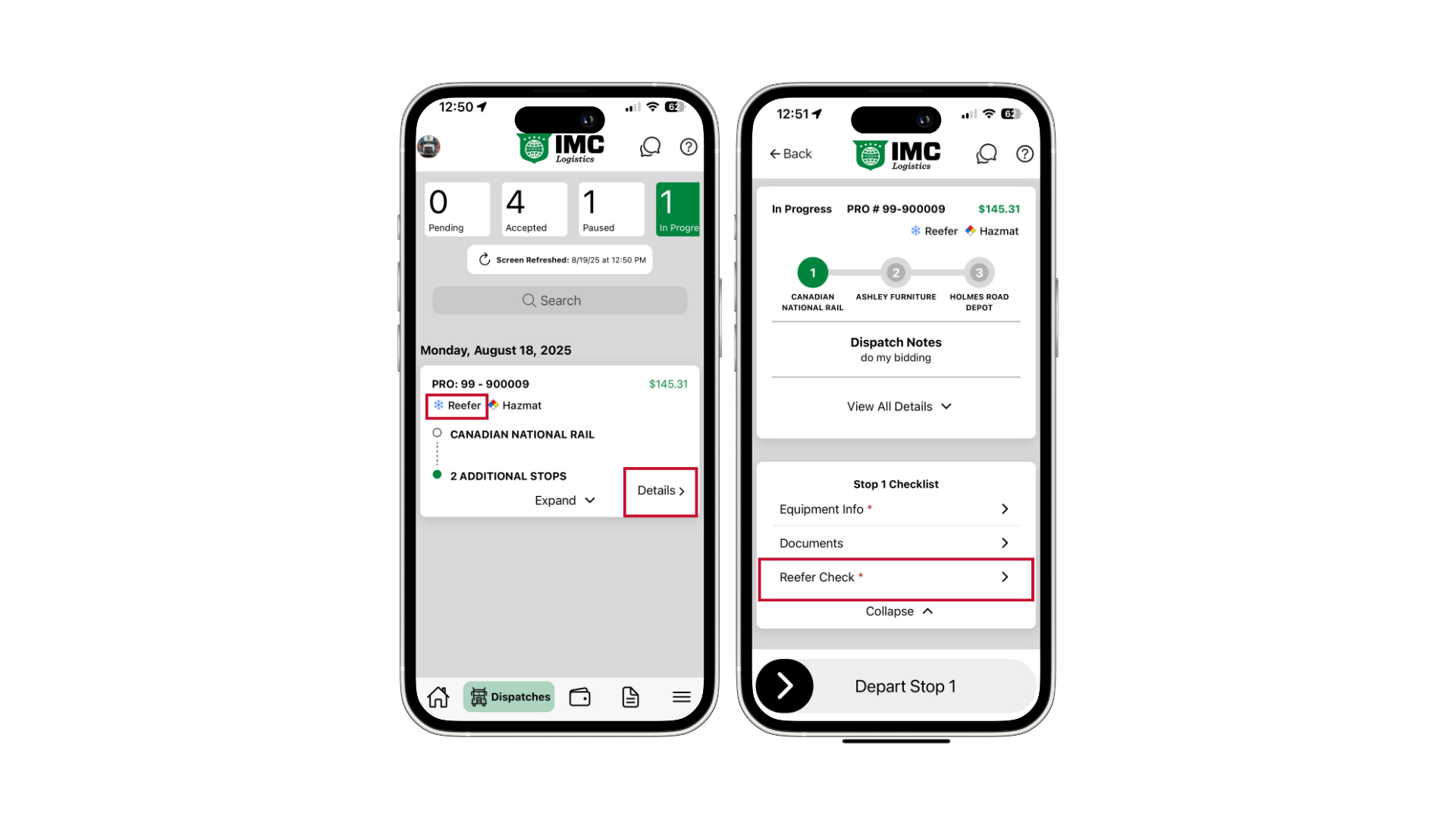
Open the assigned reefer dispatch in Power Direct.
You’ll see reefer-specific fields such as temperature set point, fuel information, and equipment condition.
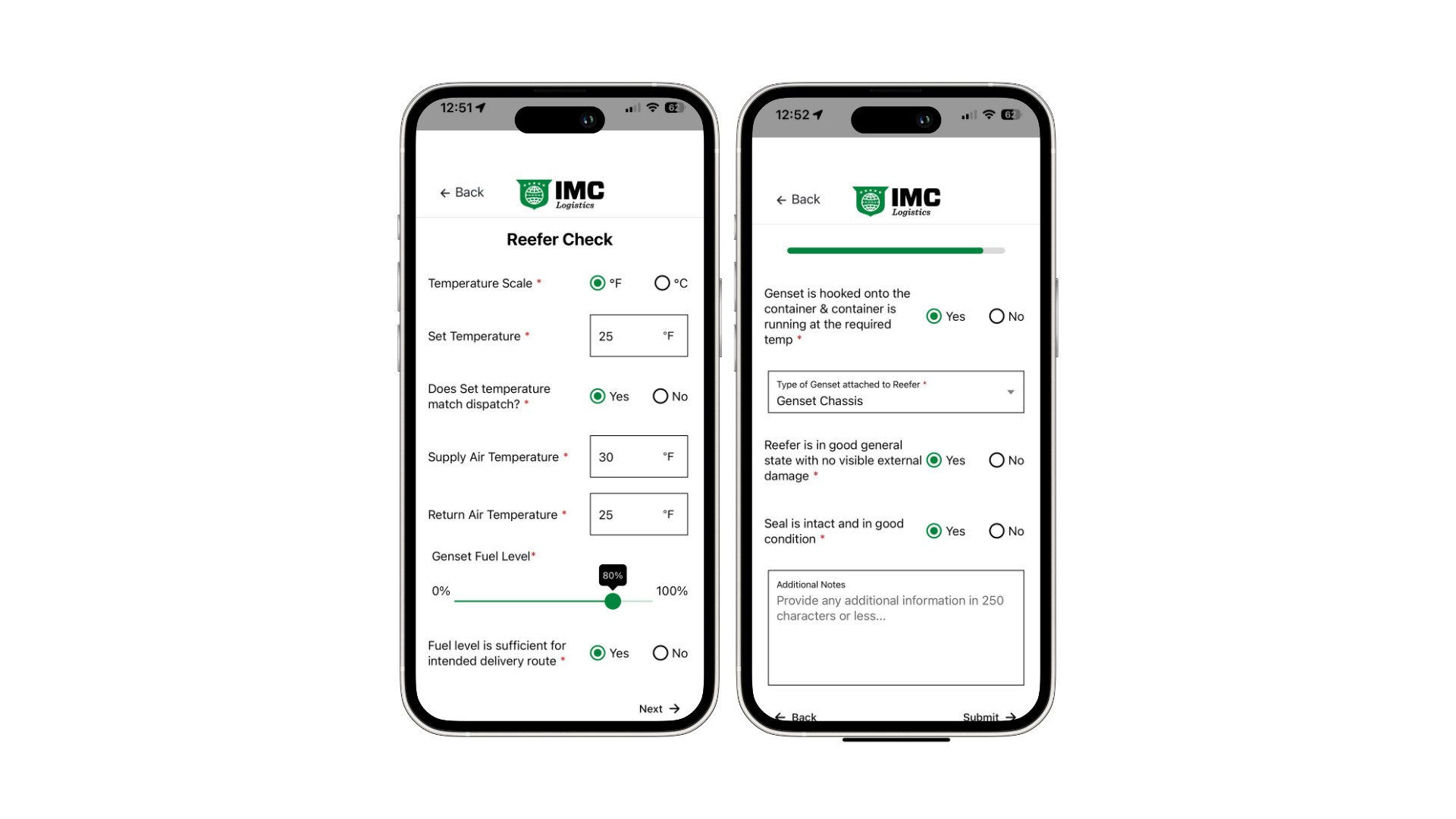
Enter the reefer unit information.
Confirm that pickup details are complete.
Tap Submit to continue.
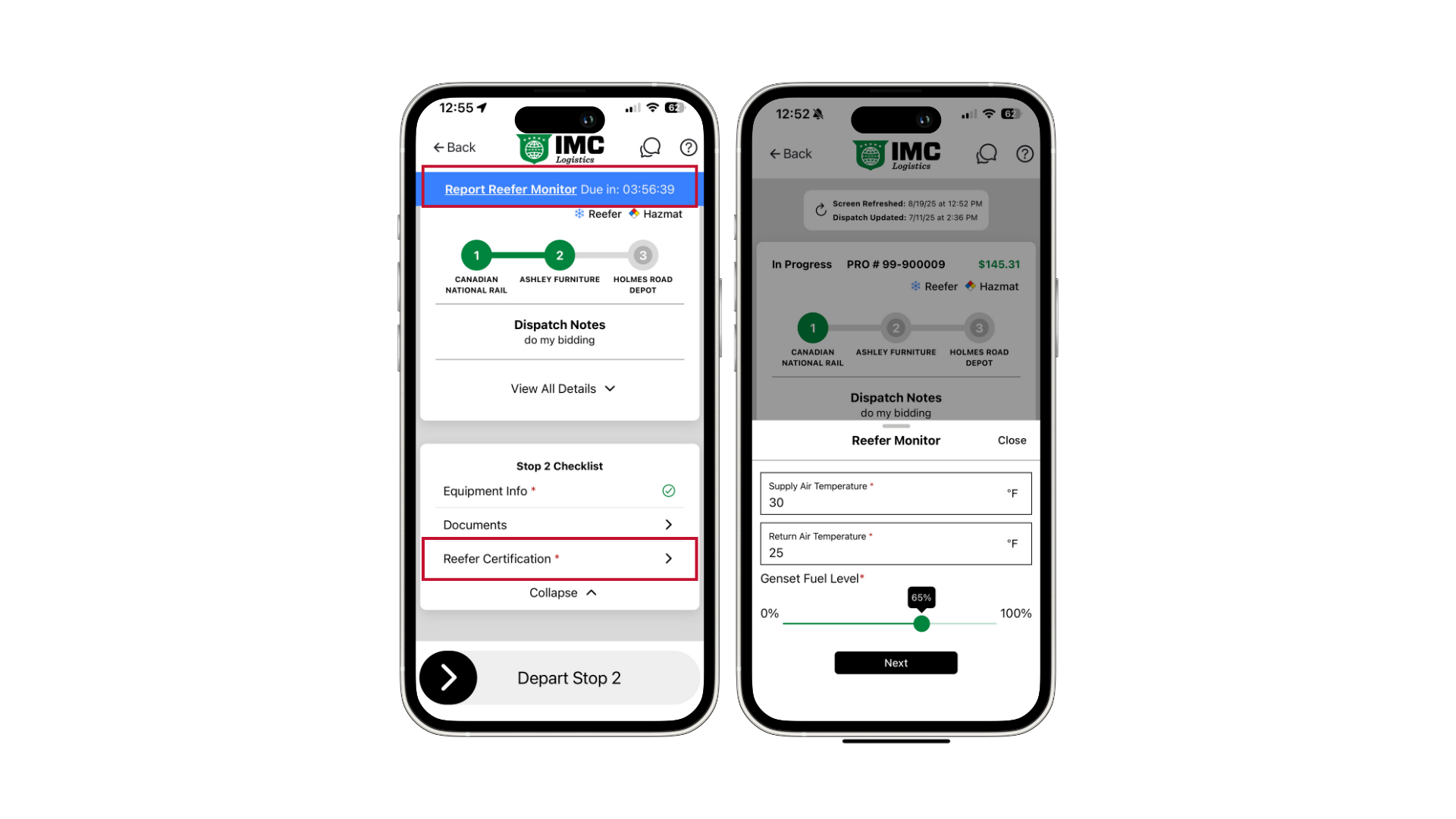
During the dispatch, Power Direct will prompt you for updates.
Complete the required fields each time you’re notified.
A countdown timer is displayed at the top of the screen showing how long until your next required update.
You can also submit an update early by tapping on the banner—handy if you’re already stopped and want to log the check before moving again.
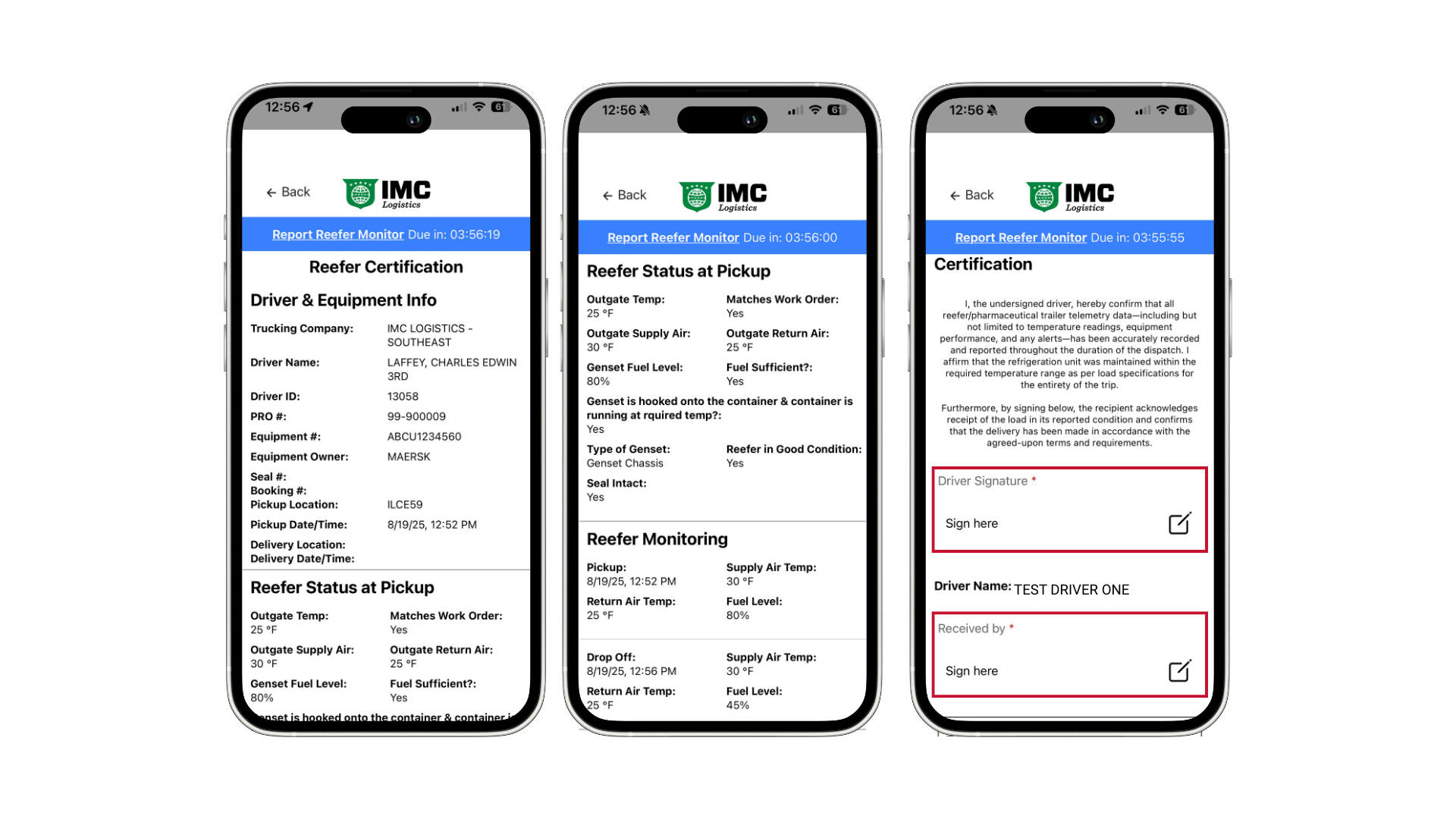
At the end of the move, you’ll be prompted for one final reefer update (temperature and fuel).
Power Direct will then generate a certification report based on your previous inputs.
Confirm the information is correct.
The report requires a customer/recipient signature and your own signature before completion.
 Tip: Submitting timely updates keeps your dispatch in compliance and helps avoid follow-ups from dispatch or customer service.