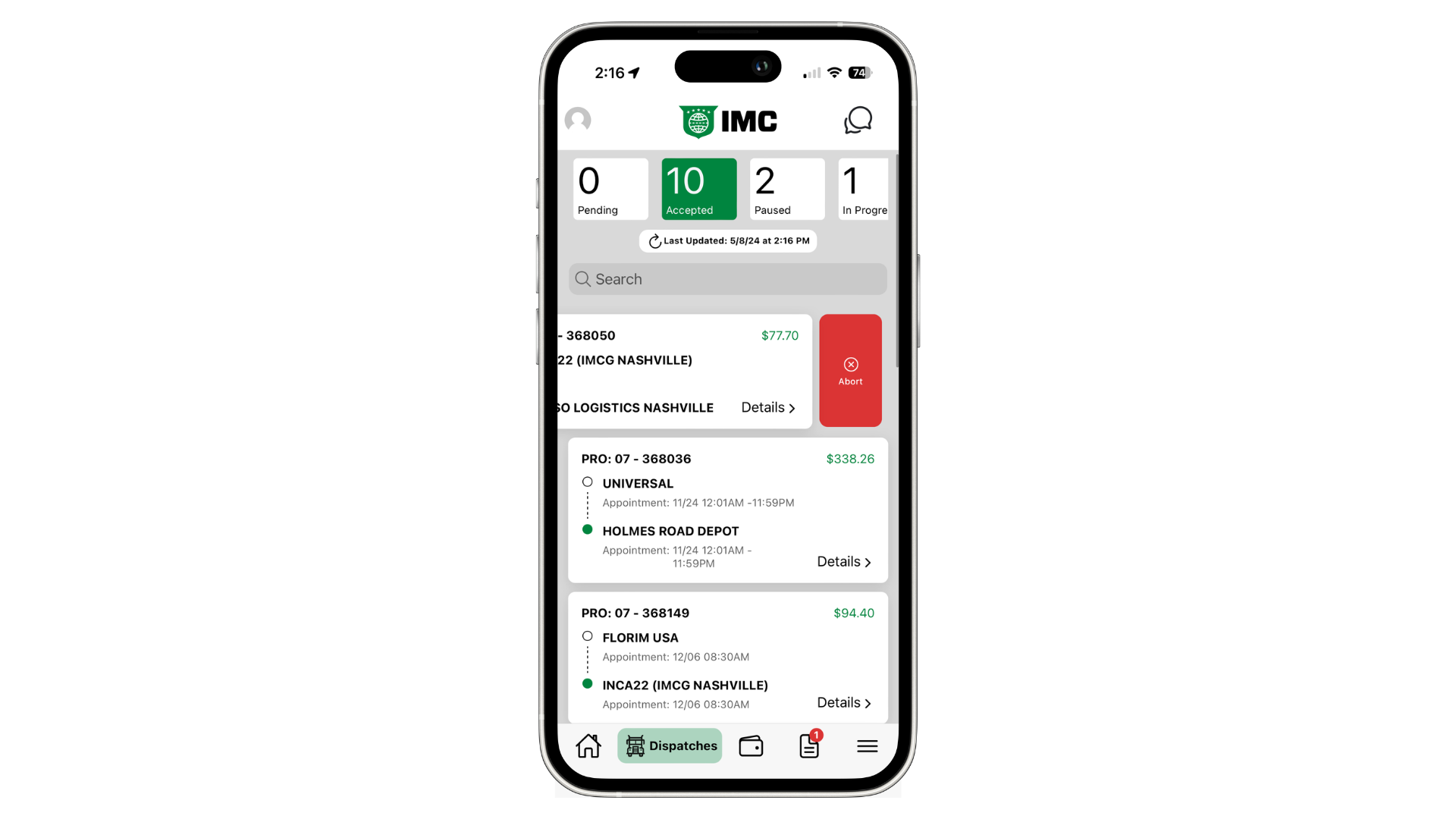
If you need to remove a dispatch from your app for whatever reason, you'll want to use the "Abort" button.
You'll see the abort option for Accepted, Paused, and In Progress Dispatches. This feature is NOT available for Pending or Completed dispatches.
To reveal the Abort button, navigate to the Dispatch List and find the dispatch you need to cancel. Slide the card to the left to show the red Abort button and tap it. Doing this will remove the dispatch from your app.
If for some reason you completed a dispatch outside of the app and it's still showing up in Power Direct, you'll want to use this feature. For Owner Operators, it's important to first Accept the dispatch and then Abort it.