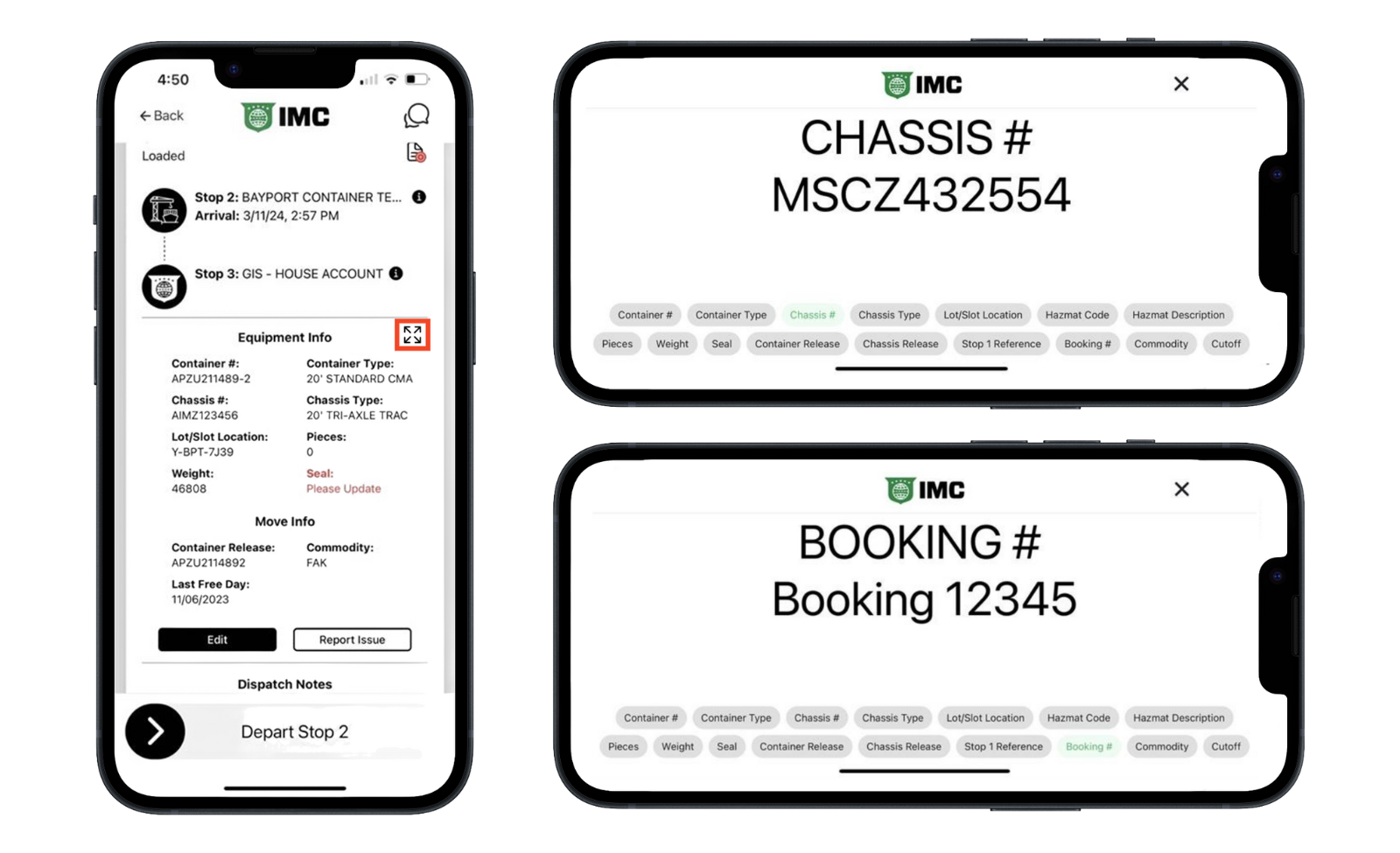
To make it easier to communicate equipment and move info to Gate Clerks, we've added the ability to display each piece of information full screen so that drivers do not have to yell over engine and other noise
Tap the expand icon next to Equipment Info to pull up the Marquee
Choose the info you want to display, one at a time
Hold your phone or tablet up so the gate clerk can see